
Best Free Online Noise Reducers in 2026 — Ranked and Reviewed
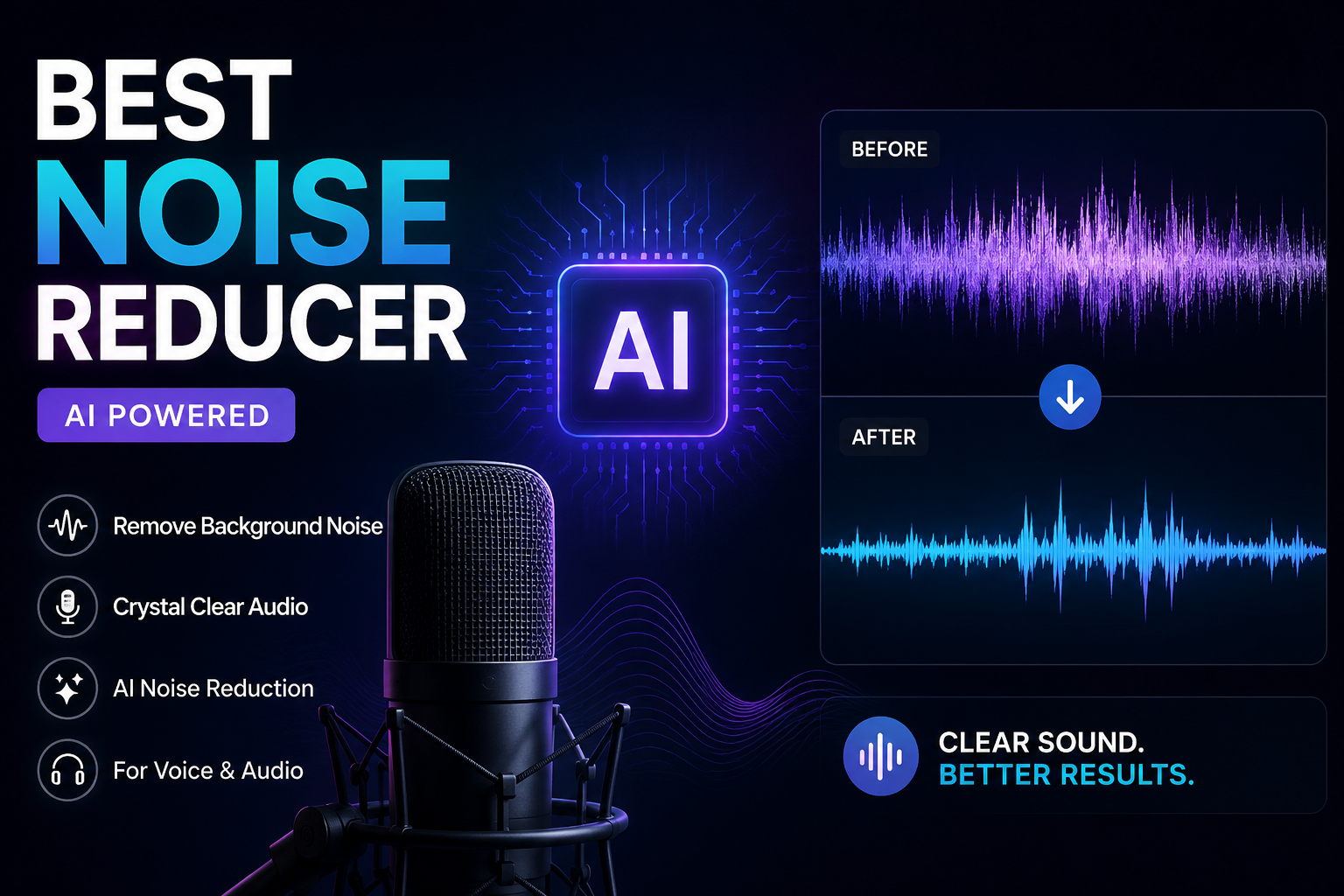
Not all free noise reducers are actually free. Some watermark your file. Some cut you off after 60 seconds. Some require an account, then nudge you toward a $20/month plan every time you log in. And some are genuinely, completely free — no tricks.
We tested and researched every major online noise reduction tool in 2026. We looked at what each one actually removes, where the free tier ends, how the output sounds on real recordings, and who each tool is built for. The list below reflects that research — not marketing copy.
One thing to know before you start: the best free tier depends on your situation. A podcaster cleaning up weekly episodes needs something different from a student with one lecture recording. We’ve flagged who each tool suits best so you can skip straight to the right one.
Quick Pick — Best Tool by Use Case
| If You Need… | Best Free Tool | Why |
|---|---|---|
| Fastest result, no sign-up, video support | Noise Reducer AI | Upload and download in 60 seconds — MP4/MOV supported |
| Best AI quality on voice recordings | Adobe Podcast Enhance | Remarkable output on bad recordings — 1hr/day free |
| Privacy — files never leave your device | SoundTools | 100% browser-based processing, no upload to any server |
| Podcast filler words + noise in one pass | Cleanvoice AI | 30-min free trial — removes ums, silences, and noise together |
| Post-production with full manual control | Audacity | Free, open-source, precise noise profiling — no limits |
| Video editor workflow — clean and edit together | VEED.io | One-click clean audio inside a full browser video editor |
| Mobile recording cleanup on your phone | Noise Reducer AI | Works in any mobile browser — no app needed |
The 7 Best Free Online Noise Reducers in 2026
Noise Reducer AI — Best Overall Free Noise Reducer
Noise Reducer AI is the fastest no-friction option on this list. You go to the site, upload your file, hit denoise, and download the cleaned version in under 60 seconds. No account. No watermark. No forced upgrade screen in your face.
The engine behind it is DeepFilterNet — a neural network built specifically for speech enhancement. Unlike simpler tools that cut fixed frequency ranges, DeepFilterNet learns what your voice looks like in audio and removes everything around it. The result is noticeably cleaner than tools using older spectral gating methods, especially on complex noise like café ambient sound, traffic, or music bleed.
The video support is a real differentiator. Upload an MP4 or MOV directly. No need to strip the audio first, edit it separately, then re-attach it. The tool handles the whole file and returns you a clean video. Most tools on this list can’t do that.
Trusted by 500,000+ creators. Supports MP3, WAV, FLAC, M4A, MP4, MOV, MKV and more. Free tier covers up to 10 minutes of audio per file.
✅ Pros
- No sign-up required
- Handles video files directly
- DeepFilterNet quality on complex noise
- Works on any device in a browser
- Results in under 60 seconds
- Supports 10+ audio and video formats
❌ Cons
- Free tier capped at 10 min per file
- Audio sent to cloud for processing
- No real-time live call noise removal
Adobe Podcast Enhance Speech — Best AI Quality on Voice
Adobe Podcast’s Enhance Speech feature does something impressive: it doesn’t just remove noise, it reconstructs what your voice should sound like. Adobe calls this source separation — the AI isolates your speech and rebuilds it, rather than just filtering frequencies. The result on bad recordings is genuinely remarkable. People recording on a MacBook microphone in an echoey room get output that sounds like a proper studio setup.
The free tier is generous by online tool standards. You get 1 hour of daily processing with files up to 30 minutes and 500MB. No account required for a single upload, though regular use needs a free Adobe account. The V2 update in 2026 added independent sliders for speech, noise, and background music — meaning you can separate and control each element individually rather than applying a single blanket filter.
The main limitation is that it’s voice-only. Don’t upload music or mixed audio and expect good results — the AI is trained on speech and will distort non-vocal audio. Video support requires the paid Premium plan ($9.99/month). And a few users report the V2 update introduced a slightly over-smoothed sound on some recordings — the V1 output was more natural on certain voices.
✅ Pros
- Exceptional output quality on voice recordings
- Generous free tier (1hr/day)
- Independent speech/noise/music sliders (2026 update)
- No software to install
- Adobe infrastructure — reliable uptime
❌ Cons
- Voice-only — distorts music or mixed audio
- Video support costs $9.99/month
- 30-min file cap on free tier
- Some users report over-smoothed sound on V2
- Needs free Adobe account for regular use
SoundTools — Best for Privacy (Files Never Leave Your Device)
SoundTools is the only tool on this list where your audio genuinely never leaves your device. Everything runs directly in your browser — the AI model downloads to your machine and processes the audio locally. No upload. No server. No data leaving your computer at all.
This matters more than people think. If you’re cleaning up confidential meeting recordings, legal interviews, medical consultations, or anything sensitive, uploading to a cloud server is a real risk — even if they claim to delete files. SoundTools eliminates that risk entirely.
The trade-off is speed. Because processing happens on your device’s CPU (or GPU if your browser supports it), a 10-minute recording can take 10–20 minutes rather than 60 seconds. It supports two modes: Voice Clean (optimized for speech) and Music/General (broader noise removal). There’s a strength slider with a helpful A/B comparison feature so you can hear the difference before committing.
Completely free. No file size limits. No account. No daily cap. Unlimited use.
✅ Pros
- Complete privacy — zero upload
- Truly unlimited and free
- No account needed
- Strength slider with A/B preview
- Works on any length recording
❌ Cons
- Slow — device CPU does the work
- No video file support
- Best on desktop — mobile is slower
- Quality below DeepFilterNet on complex noise
Cleanvoice AI — Best for Podcast Cleanup (Noise + Fillers)
Cleanvoice does something none of the other tools here do: it removes background noise and filler words in the same pass. You upload a podcast recording. It removes the fan hum, reduces the room noise, cuts every “um” and “uh” and dead silence — and gives you back a polished episode ready to publish.
What separates it from cheaper alternatives is the review step. Instead of automatically cutting everything and giving you the result, Cleanvoice shows you a timeline with every proposed cut highlighted before applying them. You can restore anything the AI flagged incorrectly — a genuine word it misidentified as a filler, a breath you want to keep, a pause that sounds natural. This prevents the choppy, over-cut audio problem that plagues automated editing tools.
Filler word detection works in 40+ languages, with language-specific models for different accents. Processing takes 5–10 minutes for a 60-minute episode. Files are stored for 7 days after processing then permanently deleted.
The free trial gives 30 minutes of processing with no credit card required. After that it’s pay-as-you-go at $0.015 per minute — a 45-minute podcast episode costs about $0.68 to process. There are also monthly plans starting from around $11/month for 10 hours.
✅ Pros
- Noise removal + filler word removal together
- Review timeline before applying cuts
- 40+ languages for filler detection
- Pay-as-you-go — no wasted subscription
- Auto transcription and show notes included
❌ Cons
- Only 30 min truly free
- AI occasionally flags real words as fillers
- Not a pure noise remover — podcast-focused
- Pricing in EUR (converts for non-EU users)
Audacity — Best Free Tool for Full Manual Control
Audacity isn’t an online tool — it’s a desktop app you download. But it earns its place on this list because for recorded audio editing with no budget at all, nothing else gives you the same level of control. It’s been the standard free audio editor for over two decades and it still delivers.
The noise reduction workflow is different from AI tools. Instead of uploading and waiting, you manually select a section of your recording that contains only background noise — a few seconds of pure room hum, for example — and Audacity learns that noise fingerprint. Then you apply the reduction to your whole recording, and it subtracts that learned pattern from everywhere.
This takes more steps than any other tool here. But it gives you something the AI tools don’t: precise, targeted noise removal with full control over reduction depth, sensitivity, and frequency smoothing. On simple, steady noise like fan hum or AC, Audacity is as good as any AI tool. Where it falls behind is on complex or changing noise, where AI genuinely outperforms the noise profile approach.
Completely free. Open-source. No file size limits. No time caps. Works on Windows, Mac, and Linux. And a plugin ecosystem means you can extend it with AI-powered noise suppression (like the RNNoise plugin) if you want better results on complex noise.
✅ Pros
- Completely free, no limits whatsoever
- Full manual control over every parameter
- Local processing — total privacy
- Plugin support including AI noise suppression
- Cross-platform — Windows, Mac, Linux
❌ Cons
- Requires download and installation
- Learning curve — not beginner-friendly
- Noise profile approach struggles with complex noise
- Multi-step process — slower than online tools
- No video file support natively
AudioEnhancer.ai — Best Free Tool for Quick General Cleanup
AudioEnhancer.ai is browser-based, no login required, and handles noise reduction on both audio and video files. The interface is simple — upload, choose an enhancement type, download. It’s not the most technically advanced tool on this list, but it’s one of the least friction-heavy, and for straightforward recordings with common noise problems it does the job cleanly.
It handles MP3, WAV, MP4, MOV, AAC, and most common formats. The AI targets steady background noise — fan hum, AC buzz, room noise, static — effectively. Where it’s more limited is on highly complex noise or music bleed, where DeepFilterNet-powered tools produce meaningfully better results.
The free tier is practical for casual use. Millions of users have used it, particularly for vlogger and creator workflows where you just need a quick fix before publishing. No deep settings, no manual noise profiles — just an automatic pass that handles the most common problems.
✅ Pros
- No account needed
- Handles video files
- Very simple interface
- Broad format support
❌ Cons
- Less effective on complex or changing noise
- Limited control over settings
- Free tier limits not publicly detailed
VEED.io — Best for Video Creators Who Edit in the Browser
VEED is a browser-based video editor with a “Clean Audio” feature built in. What makes it different from everything else here is workflow integration. You clean the audio and edit the video in the same interface. Add subtitles, trim clips, add text overlays, adjust audio — all without switching tools.
The noise removal itself is one-click and automatic — no strength slider, no settings to adjust. The AI handles it. For most standard recordings it works well on steady background noise. It’s not going to match DeepFilterNet on difficult audio, but for social media content where you’re editing and publishing from one place, it’s convenient.
The catch: Clean Audio is a premium feature on VEED. The free plan gives limited access, and exported videos have a VEED watermark. If you need watermark-free exports, you’ll need a paid plan starting around $18/month. But for testing and low-volume use, the free trial covers basic needs.
✅ Pros
- Clean audio + full video editing in one place
- One-click noise removal — no settings needed
- Great for short-form social content
- Adds subtitles, text, and effects in same workflow
❌ Cons
- Watermark on free plan exports
- Clean Audio is a premium feature
- No manual control over noise reduction strength
- Weaker than dedicated tools on complex noise
Full Comparison Table — All 7 Tools
| Tool | Free Tier | Video Files | No Sign-Up | Privacy (Local) | Best Noise Type | Speed |
|---|---|---|---|---|---|---|
| Noise Reducer AI | Up to 10 min/file | ✅ MP4, MOV, MKV | ✅ | ❌ Cloud | All types — DeepFilterNet | < 60 sec |
| Adobe Podcast Enhance | 1hr/day, 30 min/file | ❌ Paid only | Single upload only | ❌ Adobe servers | Voice only — exceptional | 2–5 min |
| SoundTools | Unlimited — truly free | ❌ Audio only | ✅ | ✅ 100% local | Steady noise, general | 10–20 min |
| Cleanvoice AI | 30-min trial | ❌ | ❌ Account needed | ❌ Cloud | Noise + filler words together | 5–10 min/episode |
| Audacity | Unlimited — open source | ❌ Audio only | ✅ (desktop app) | ✅ Local | Steady noise — manual control | Variable |
| AudioEnhancer.ai | Limited free access | ✅ MP4, MOV | ✅ | ❌ Cloud | General background noise | < 2 min |
| VEED.io | ⚠️ Watermark on free | ✅ Full video editor | ❌ Account needed | ❌ Cloud | General — one-click auto | < 2 min |
What “Free” Actually Means for Each Tool
This is where most roundups fail you. They call everything “free” without explaining the catch. Here’s exactly what you get at zero cost with each tool:
Noise Reducer AI
Files up to 10 minutes processed completely free with no account. No watermark. No feature restrictions on the free tier — you get the same DeepFilterNet quality as paid users. The limit is just file length. For most podcast clips, YouTube shorts, interview segments, and lecture recordings under 10 minutes, the free tier covers everything you need.
Adobe Podcast Enhance
1 hour of processing per day. Files up to 30 minutes and 500MB per upload. A single upload doesn’t require an account — but regular use needs a free Adobe account. No strength slider on the free tier (that’s a paid feature). Voice audio only — no video, no music. For a weekly podcast under 30 minutes, the free tier works indefinitely.
SoundTools
Genuinely unlimited and free. No file cap, no daily limit, no account, no watermark, no time limit. The trade-off is processing speed — it runs on your device so a long file takes much longer than a cloud tool. But if time is not the constraint, it’s the most free tool on this list.
Cleanvoice AI
30 minutes of trial processing. After that you pay. This is really a “try before you buy” tier rather than an ongoing free option. It’s still worth using for a test episode — 30 minutes is enough to see exactly what the tool does and decide if the $11/month subscription makes sense for your workflow.
Audacity
Completely free forever. Open-source. No account, no limits, no expiry, no anything. The only cost is your time to learn it — and the 15–30 minutes to get comfortable with the noise reduction workflow is a reasonable one-time investment for a tool you can use indefinitely.
AudioEnhancer.ai
Free tier available with basic processing and no account. The specific limits aren’t prominently documented, so treat it as a casual use option rather than a reliable unlimited free resource.
VEED.io
Free plan exists but the Clean Audio feature is restricted, and all free exports have a watermark. For any publishing use, the watermark is a dealbreaker. It’s really a paid product with a limited trial rather than a genuine free tier for noise removal specifically.
How to Get the Best Results from Any Free Tool
The tool matters less than you think. These three things make more difference than which tool you pick:
Use the Highest Quality Source File You Have
A 128kbps MP3 has already lost audio data through compression. The AI has less to work with. Use WAV or 320kbps MP3 as your source file whenever possible. If you recorded in your phone’s voice memo app, use the original file — not a converted or compressed copy.
Don’t Over-Process
Every tool has a strength or intensity setting. The instinct is to push it to maximum. Resist this. High strength removes more noise but also starts to affect your voice — creating a hollow, robotic, or “underwater” sound. Start at 70% and preview. Go higher only if the noise is still clearly audible. A little residual background noise almost always sounds better than an over-processed, artificial voice.
Clean Audio Before Transcribing or Publishing
If you’re sending the audio to a transcription tool, clean it first. AI transcription accuracy on noisy audio can drop from 95% to 60–70%. Cleaning the audio before transcribing is the single biggest accuracy improvement most people can make. Same for publishing — your audience will forgive a lot, but constant background noise is one of the fastest ways to lose listeners.
Frequently Asked Questions
Common questions about free online noise reduction tools.