Remove Background Noise from AudioNoise Reducer & Audio Enhancer

Upload MP3, WAV, MP4, or MOV and get clean, crystal-clear audio in seconds. No software to install, no payment required to try it.
Noise Reducer AI has cleaned 450,000+ files for creators, podcasters, and remote teams in 152+ countries. Whether it’s wind, traffic, fan hum, or a noisy room, the AI separates your voice from the background and hands back audio that still sounds like you — not processed or robotic.

450,000+ files cleaned
4.6 Avg Rating
2,250 Reviews
152+ countries served
GDPR Compliant
450,000+ files cleaned
4.6 Avg Rating
2,250 Reviews


Drag and drop your audio/video files here

or click Upload File button
Supported formats: MP3, WAV, MP4, MOV, and more
Fazier badge
Noise Reducer AI - Featured on Startup Fame
Featured on Findly.tools

Check Noise Reduction Difference with Noise Reducer AI

Restaurant Chatter
Dog Barking
Helicopter
Background Music
Street Noise (Freestyle Rap)
Water (Language Agnostic)
Loading audio…
Restaurant Chatter
Before:
00:00 / 00:00
After:
00:00 / 00:00

What Noise Reducer Does

Many tools promise high-quality results, but not all deliver what they promise. Our AI Noise Reduction technology stands out because it not only removes background noise but also improves and enhances your audio/video. Here’s why it’s a great choice:

Removes

Background noise — wind, traffic, fan and AC hum, 50/60 Hz electrical hum, keyboard clicks, crowd chatter, echo, and mic hiss.

Works On

Both audio and video files — MP3, WAV, M4A, MP4, MOV and more. Upload a video directly; no need to extract the audio first.

Uses

DeepFilterNet, a deep-learning framework built for real-time speech enhancement, to separate your voice from background noise without robotic artifacts.

Preserves

Natural speech — noise reduction that doesn’t leave your voice sounding processed, thin, or underwater.

Key Features Of Our Background Noise Reducer

Our noise reducer has the following helpful features:

Works with Multiple Formats

Works with Multiple Formats

Our tool supports all major audio and video formats, like MP3, WAV, MP4, and many more.

Built-In Noise-Free Recorder

Record audio directly in our tool and skip the noise from the start! Our built-in recorder helps you record clean and noise-free recordings.

Echo Reduction

Automatically reduce the echos, aka reverb, in your recordings. Save your money from needing to buy acoustic foam panels for your recording studio!

Auto Volume

Automatically adjust volume levels for the most pleasant sound! All with a click of a button.

Crystal-Clear Audio

Say goodbye to annoying hissing and humming sounds. Enjoy clear, sharp audio that’s easy to listen to.

Simple
Interface

We provide a simple and easy interface for your ease. Upload your noisy recording and get a clean and enhanced one.

How to Remove Background Noise in 3 Easy Steps

Cleaning up your audio and video is quick and simple. Plus, it’s completely free.

Step 1

Record or Upload Your Audio/Video

Start a new recording or upload an existing file to continue.

Step 2

Adjust and Denoise

Tweak the settings if you want, then let the tool clean up your audio or video.

Step 3

Download Your File

Choose your preferred format and download the cleaned-up audio or video.

The Core Technology: How Our AI Works

Vocal remover for youtubers and podcasters

The architecture of Noise Reducer is centered around the DeepFilterNet framework, a state-of-the-art Deep Neural Network (DNN) designed for real-time speech enhancement in complex acoustic environments. Unlike traditional Digital Signal Processing (DSP) methods such as spectral gating or basic subtraction, which often introduce audible artifacts and “musical noise,” our engine operates in the STFT (Short-Time Fourier Transform) domain to perform precise vocal isolation.

By mapping a perceptual loss function across the frequency spectrum, the AI effectively distinguishes between non-stationary background noise—like wind, traffic, or keyboard typing—and the primary speech signal. This ensures that even when processing high-bitrate WAV or MP3 files, the output maintains its original harmonic integrity and 48kHz high-fidelity resolution.

Understanding Noise Reduction: Why Clean Audio Matters

Background noise isn’t just annoying – it makes people click away. Your audience will tolerate shaky video before they’ll sit through muffled dialogue with a fan humming in the background.
The problem is our brains have to work overtime separating your voice from interference. That mental effort is exhausting. Whether it’s air conditioning hum, keyboard clicks during calls, traffic bleeding through windows, or that hollow echo from recording in an empty room – each type needs different handling.

AI-powered solutions recognize patterns instead of applying blanket rules. Traditional filters might cut “everything below this frequency,” which can strip out parts of your voice or make things sound processed and hollow. See details on blog post. AI learns what human speech looks like in audio form, then removes everything else while keeping your voice natural.
For creators in regions without access to professional recording setups, this levels the playing field. You don’t need acoustic foam on your walls or expensive microphones to sound legitimate.

Noise Reducer and background noise remover for audio and video

Perfect for Every Use Case

Our noise reducer isn’t just for one type of user. It’s perfect for:

1

Podcasters

Record in a spare room instead of a studio and still sound professional. Strip hum, hiss, and echo from every episode before you publish, without re-recording a single take.

2

Content Creators

Shoot outdoors, in cafes, or wherever the shot works — then clean up the audio afterward. Upload video files directly and get traffic, wind, and background chatter removed without pulling the audio track out first.

3

Musicians

Clean up scratch vocals, demos, and home recordings picked up on a basic mic. Reduce noise floor and hiss without dulling the tone of the track, so covers and rough mixes sound closer to studio quality.

4

Business Professionals

Fix recorded meetings and webinars that picked up AC hum, keyboard clicks, or office chatter. Turn a rough call recording into something you can actually repurpose or share externally.

5

Educators

Record lectures and seminars from any room and still deliver clear audio to students. Clean recordings also transcribe more accurately, which matters if you’re turning lectures into notes or captions.

6

Casual Users

Save a voice memo, phone recording, or old file that picked up wind or background noise. Upload it, adjust the strength, and get audio you can actually listen to again.

Noise Remover vs Noise Reducer: What’s Actually Different?

These terms get used interchangeably, but there’s a practical difference worth knowing.
A noise remover aims for complete elimination. Someone coughs during your interview? Dog barks in the background? It erases these like they never happened. This works when unwanted sounds are clearly separate from your main audio.
A noise reducer minimizes rather than deletes. When noise is constant – refrigerator hum, traffic, electronic buzz – complete removal would damage your voice too. Instead, it turns down the volume so noise drops into the background. It doesn’t vanish, but it stops being distracting.

The best tools do both. They remove what can be cleanly eliminated and reduce what needs managing. Because completely silent backgrounds actually sound weird and artificial – our ears expect some ambient noise.
When choosing tools, think about your environment. Consistently noisy space with predictable sounds? You need reduction. Random interruptions and one-off noises? You want removal. Most people need both.

Online Noise Remover

Noise Cancellation: Real-Time vs Post-Processing

Noise Removal Image

Noise cancellation typically means real-time interference blocking – your AirPods on a plane or the “suppress background noise” button on Zoom. It’s happening live as you speak.
The technology uses microphones to detect ambient sound, then generates an inverse wave to cancel it out. Works great for constant noise like engines or AC. Less effective for random sounds like conversations.
Here’s the key difference for creators: noise cancellation is usually hardware (headphones, mics) or live software. If you’ve already recorded your audio and you’re fixing it afterward, that’s noise reduction, not cancellation.

Real-time cancellation has to make split-second decisions. It can’t analyze your entire recording and make careful adjustments. Post-recording cleanup with AI often gets better results because it can study patterns across your whole file.
Best approach? Use decent gear during recording, then clean up what’s left afterward. Don’t rely entirely on real-time cancellation.

Audio Denoising: The Technical Side of Clean Sound

Audio denoising is the technical term for removing unwanted sound from recordings. It covers everything from basic filters to complex AI algorithms.
Traditional denoising breaks audio into frequency bands, identifies which contain speech versus noise, then suppresses noisy frequencies. Works okay but requires manual tweaking and can sound robotic if pushed too hard.

AI denoising learns what clean speech looks like, then removes anything that doesn’t match. Handles complex, shifting noise much better than frequency-based methods. Trade-off is processing time – but the results are worth the extra minute.
Good denoising also considers the noise floor – that baseline background hum. Eliminating it completely makes audio sound unnatural. The goal is reducing it to non-distracting levels while keeping enough ambient presence that your voice doesn’t sound like it’s floating in a void.

Built by Noise Reducer AI

Noise Reducer AI is built for one job: making noisy recordings sound clean without expensive gear or studio time. The tool combines noise reduction and noise cancellation techniques in a single pass — removing what can be cleanly eliminated, and reducing what needs to stay in the background without disappearing entirely.
It’s used by podcasters, YouTubers, students, remote teams, and anyone recording outside a treated studio. The engine runs on DeepFilterNet, a deep-learning framework built specifically for real-time speech enhancement, so noise reduction happens without the robotic artifacts older filtering methods leave behind.

Also available: Music Remover, Vocal Isolator — part of the same audio toolkit.

Your Files Stay Private

Files are processed securely, used only to run the noise reducer, never shared with third parties, and not stored on our servers. We don’t use your audio for anything else.

Guides & Tutorials

Get the most out of noise reduction with step-by-step guides for the tools you already use.

How Our Noise Reduction AI Works

See exactly what happens to your audio the moment you hit upload, from spectral analysis to the deep learning model doing the cleanup.

Remove Background Noise in Zoom Recordings

Zoom’s built-in suppression only does so much. Here’s how to clean up a recorded meeting after the fact.

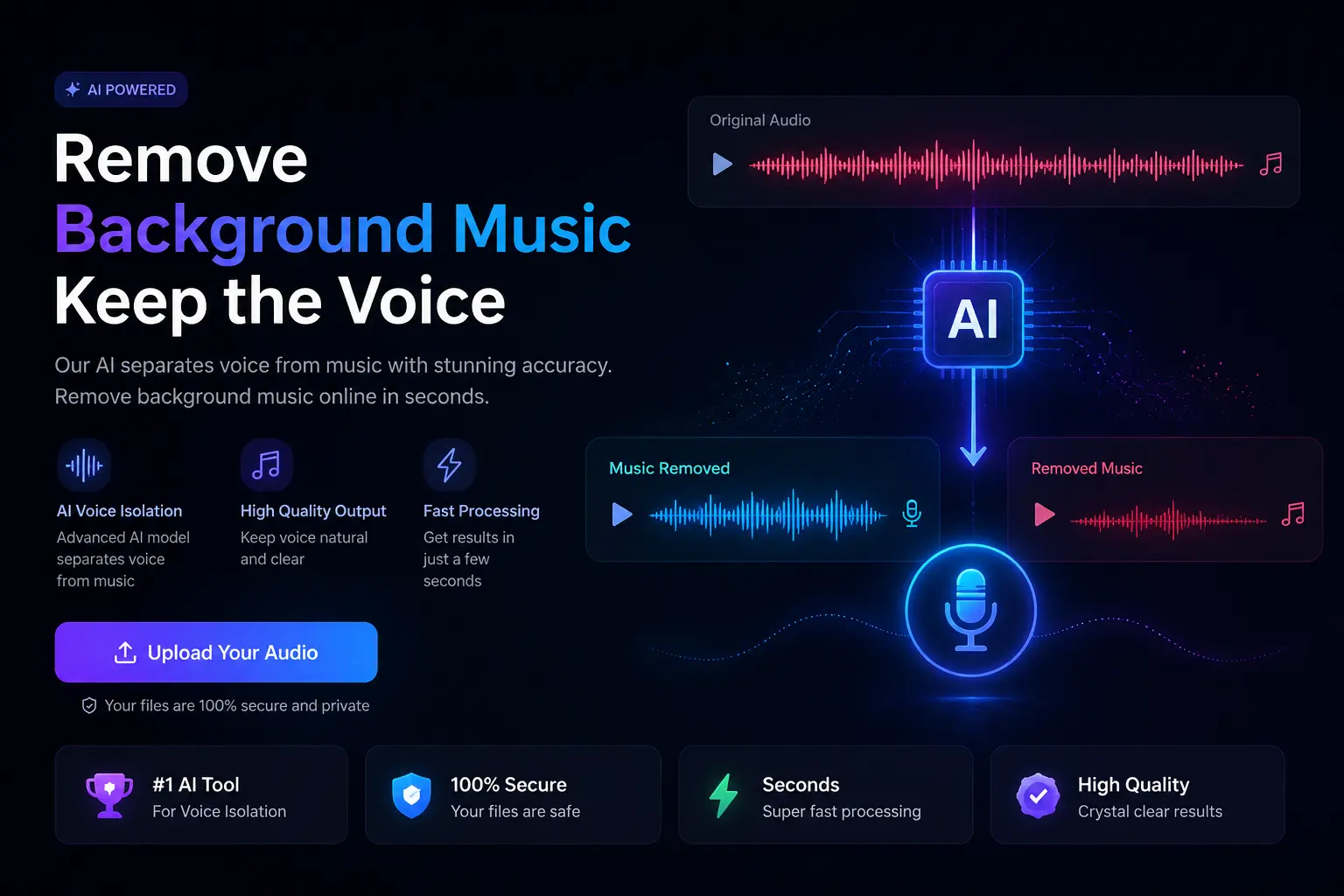
Remove Background Music from a Song

Need vocals or instruments isolated from a track? Here’s how AI-based stem separation actually works.

Noise Reducer vs Noise Cancellation: Which Do You Need?

They sound like the same thing, but they solve two completely different problems. Here’s how to tell which one you need.

Fixing Echo in Recordings Made in Untreated Rooms

Bare walls and hard floors are the real cause of that boxy echo. Here’s why it happens and how to fix it after the fact.

Best Free Tools for Cleaning Up Podcast Audio

You don’t need a paid plugin bundle. Here’s a breakdown of the free tools that actually clean up an episode.

What Our Users Are Saying

We’ve helped thousands of people improve their audio and video. Here’s what some of them had to say:

Frequently Asked Questions

Check out these frequently asked questions to find quick answers and helpful tips!

Our tool offers a free background noise removal feature online. It’s quick, efficient, and delivers clean audio, perfect for podcasts, videos, and voice recordings.

Cleaning noise from an audio file is simple. Just upload your audio here to remove cave noises, static hums, and background distractions for a pristine recording.

Absolutely! Our AI-driven audio cleaner works online and is available in all the countries including India to clean up noise and improve the quality of your audio recordings without any cost for basic usage.

Noise Reducer reduces constant background sounds such as hum, whistle, whine, buzz, and “hiss”, such as tape hiss, fan noise or FM/webcast carrier noise.

Noise reduction is the process that involves taking a signal and eliminating unwanted noise from it. There are various audio noise reduction techniques to remove unwanted sounds. Sound consists of pressure waves running through the air. Many describe it as energy created by vibrations.

Yes! AI can remove background noise using AI tools. Using Noise Reducer online Tool, you can clean up the audio of your video clips or individual audio clips in just a few clicks.

Yes, AI noise cancellation is highly effective at removing background noise and enhancing audio clarity in real time.

Our tool is browser based, so it will work on any operating system.

We support file sizes of ~900 MB or less.

We support a wide range of audio and video file formats.
Supported Audio Formats:
.amr, .asf, .flac, .flv, .m4a, .mp3, .mpeg, .mpg, .ogg, .wav, .webm, .wma, .wmv
Supported Video Formats:
.mp4, .mov, .webm, .mkv, .asf, .wmv, .matroska, .msvideo, .flv

AI Noise Reducer offers a free version with 10 seconds audio/video processing per request.

Yes—100% free. Just forward the voice note to your own file manager or download it, upload the .opus file here, and we’ll clean it in seconds. No limit on how many you do.

Absolutely. Most Android voice recorder apps save in .m4a or .ogg—we support both. Works perfectly on Xiaomi, Realme, Vivo, Samsung, etc.

Our AI specifically targets room reverb and echo. Just upload and hit “Enhance”—it’ll sound like you recorded in a proper studio booth.

Free users can upload up to 900 MB per file and process the first 10 minutes completely free. That’s more than enough for long podcasts or YouTube videos.

Yes—one of the toughest jobs, but our 2025 model handles music bleed way better than most paid tools. Voice stays intact, song disappears.

That’s literally our #1 use case. Laptop fan + cheap mic hiss = gone in one click.

Upload the MP4/MOV directly. We separate the vehicle horns and street chaos from your voice, no need to extract audio first.

Files are processed in memory and not stored on our servers. Zero human ears ever hear them.

Yup. Download the reel as MP4, upload here, download the cleaned version, and re-upload—takes under a minute.

Yes, fully. The AI doesn’t care about language—it just protects human speech and kills everything else.

AC hum is usually 50–60 Hz. Our AI wipes that frequency band clean while keeping your voice natural.

Nope. Running it twice won’t add artifacts—most creators run it once and call it perfect.

Thousands of gamers do. Keyboard clicks, mouse, chair creaks—all gone, voice stays crisp.

Right now it’s browser-only (works perfectly on Chrome mobile). No app download needed, so it works even on low-storage phones.

Upload the video file—our AI detects wind gusts and smooths them out without touching your dialogue.

Clean Up Your Audio — Free, No Signup

Upload a file and hear the difference in seconds. No install, no credit card, no account required to try the noise reducer.

Remove Background Noise for Free